
sales06@switek.biz

+86 186 5927 5869

Subscript to Us
sales06@switek.biz
+86 186 5927 5869
Subscript to Us

With the control system developed by the Austria automatic company SIGMATEK GmbH & Co KG, SWITEK high speed side entry IML robot is providing a more efficient and outstanding performance for your quality bulk production of the IML Yogurt Cups.
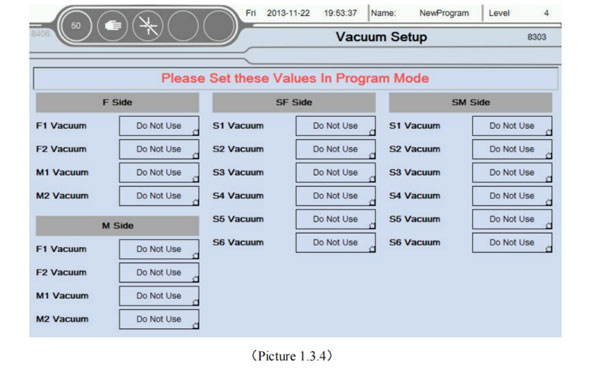
1.3.4 Vacuum Config
Click Vacuum Config button into Vacuum setup screen as the picture below 1.3.4;
1.3.5 Program Editor
Click Program Editor button into Program editor screen as the picture below 1.3.5
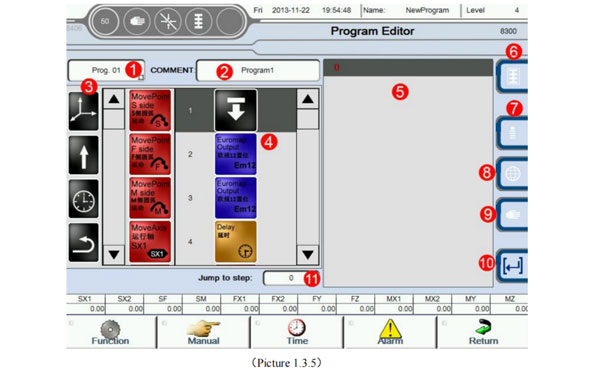
Teaching program editing methods:
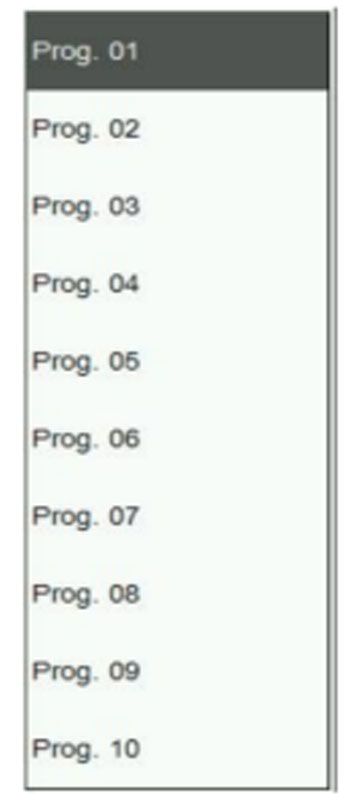
Hold the action icon from "3", can drag and drop to "4".
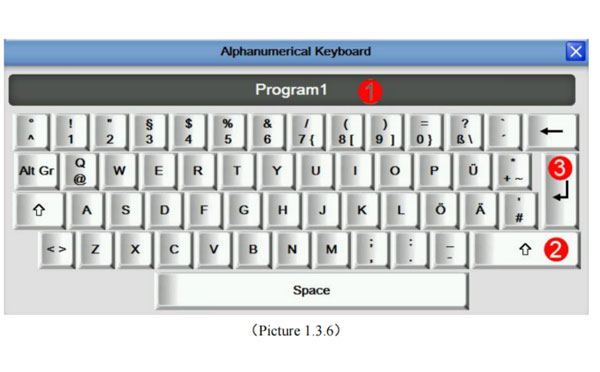
The current name is Program 1; The virtual keyboard, click on the program name, as the picture below 1.3.6
| Command Name | Chart | Function | Parameter | Unit |
|---|---|---|---|---|
| S-side linkage  |  | S-side linear interpolation run to set position | S X End position | mm/Inch |
| S F End position | ||||
| SM End position | ||||
| S X 2 End position | ||||
| Accelerated | % the maximum acceleration | |||
| Speed | % the maximum speed | |||
| Safety Time | Timeout alarm | |||
| Mode of motion | Accurate pos/smooth pos | |||
| Detection | Detection mould completed | |||
| F-side linkage |  | F-side linear interpolation run to set position | F X End position | mm/Inch |
| F Y End position | ||||
| F Z End position | ||||
| Accelerated | % the maximum acceleration | |||
| Speed | % the maximum speed | |||
| Safety Time | Timeout alarm | |||
| Mode of motion | Accurate pos/smooth pos | |||
| detection | Detection mould completed | |||
| F-side linkage |  | M-side linear interpolation run to set position | ||
| M X End position | mm/Inch | |||
| M Y End position | ||||
| MZ End position | ||||
| Accelerated | % the maximum acceleration | |||
| Speed | % the maximum speed | |||
| Mode of motion | Accurate pos/smooth pos | |||
| Detection | Detection mould completed | |||
| SX1 Axis run |  | SX1 Axis run to set position (Servo axis) Note ① | End position | mm/Inch |
| In interval | mm/Inch | |||
| Accelerated | % the maximum acceleration | |||
| Speed | % the maximum speed | |||
| Safety Time | Timeout alarm | |||
| Waiting in place | Waiting run in place to step down or directly run next step | |||
| Detection | Detection mould completed | |||
| SX1 Axis run to set position (Pneu.axis) Note ② | End position | Absolute pos/relative pos | ||
| Safety Time | Timeout alarm | |||
| Waiting in place | Waiting run in place to step down or directly run next step | |||
| Detection | Detection mould completed | |||
| SX2 Axis run |  | SX2 Axis run to set position | If choose Servo axis like with note ①; If choose Pneu axis like with note ② | |
| SX1 & SX2 Axis run |  | SX1 and SX2 Axis run to set position meanwhile (Servo axis) Note ③ | End position | mm/Inch |
| In interval | mm/Inch | |||
| Accelerated | % the maximum acceleration | |||
| Speed | % the maximum speed | |||
| Waiting in place | Waiting run in place to step down or directly run next step | |||
| Safety Time | Timeout alarm | |||
| Detection | Detection mould completed | |||
| SX1 and SX2 Axis run to set position meanwhile (Pneu.axis) Note ④ | Waiting in place | Waiting run in place to step down or directly run next step | ||
| End position | mm/Inch | |||
| Safety Time | Timeout alarm | |||
| Detection | Detection mould completed | |||
| SX1 Axis run |  | SF Axis run to set position | If choose Servo axis like with note ① If choose Pneu.axis like with note ② | |
| SM Axis run |  | SM Axis run to set position | If choose Servo axis like with note ① If choose Pneu.axis like with note ② | |
| FX2 Axis run |  | FX2 Axis run to set position | If choose Servo axis like with note ① If choose Pneu.axis like with note ② | |
| FY Axis run |  | FY Axis run to set position | If choose Servo axis like with note ① If choose Pneu.axis like with note ② | |
| FZ Axis run |  | FZ Axis run to set position | If choose Servo axis like with note ① If choose Pneu.axis like with note ② | |
| MX1 Axis run |  | MX1 Axis run to set position | If choose Servo axis like with note ① If choose Pneu.axis like with note ② | |
| MX2 Axis run |  | MX2 Axis run to set position | If choose Servo axis like with note ① If choose Pneu.axis like with note ② | |
| MY Axis run |  | MY Axis run to set position | If choose Servo axis like with note ① If choose Pneu.axis like with note ② | |
| MZ Axis run |  | MZ Axis run to set position | If choose Servo axis like with note ① If choose Pneu.axis like with note ② | |
| SF&FY linkage |  | SF&FY Axis run meanwhile | If choose Servo axis like with note ③ If choose Pneu.axis like with note ④ | |
| SM&MY linkage | 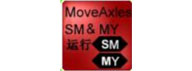 | SM&MY Axis run meanwhile | If choose Servo axis like with note ③ If choose Pneu.axis like with note ④ | |
| SF&SM linkage | 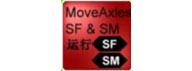 | SF&SM Axis run meanwhile | If choose Servo axis like with note ③ If choose Pneu.axis like with note ④ | |
| FY&MY linkage | 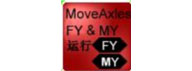 | FY&MY Axis run meanwhile | If choose Servo axis like with note ③ If choose Pneu.axis like with note ④ | |
| FZ&MZ linkage | 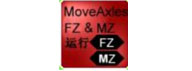 | FZ&MZ Axis run meanwhile | If choose Servo axis like with note ③ If choose Pneu.axis like with note ④ | |
| FX1&FX2 linkage | 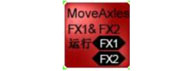 | FX1&FX2 Axis run meanwhile | If choose Servo axis like with note ③ If choose Pneu.axis like with note ④ | |
| MX1&MX2 linkage | 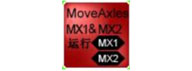 | MX1&MX2 Axis run meanwhile | If choose Servo axis like with note ③ If choose Pneu.axis like with note ④ | |
| Stacking | 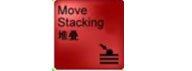 | Call stack product program | Choose stack program | Program support 2 groups of different Settings of the stack |
| Perform side | F-side/M-side/Stack A/Stack B | |||
| Safety Time | Timeout alarm | |||
| Get Label | 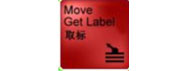 | Call Label, Take the setting below link home page | Perform side | F-side/M-side/Stack A/Stack B |
| Safety Time | Timeout alarm | |||
| Vacuum used | Choice vacuum when get label | |||
| Reset Stacking |  | Product stack quantity reduction | Choose stack program | When the program it has stopped cycle run because of error. This function can reset the number of stack procedures have been executed. When the program to automatically run again. Stack number starting from 0 count again. |
| Pneu Axis Move |  | Choose Pneu axis movement | Perform side | Choose axis need action |
| Target position | Select vertical, horizontal, or any place | |||
| Waiting in place | Running in place before you execute the next step | |||
| Direct run | This step and the next step to run at the same time | |||
| Standby |  | Call standby set in the home page | Accelerated | % the maximum acceleration |
| Speed | % the maximum speed | |||
| Safety Time | Timeout alarm | |||
| Attention: Only the SF/SM position within the scope of standby position. S X can from Die outside running running into the mould. Or from a mould run to the outside of the mould. Otherwise, the S X can not run. | ||||
| IO Jump |  | According to Vacuum and the input to perform the corresponding. | Vacuum or input | With group can choose vacuum or input |
| Status | Can choose the output state on or off | |||
| | action | Next step | When the above conditions meet. Can choose to manually or run the next step. | |
| Set Vacuum  |  | Vacuum Open/Chose | Choose Vacuum | Combination of the Vacuum and signal vacuum |
| Status setting | Can choose the output state: on or off | |||
| Set Output |  | Set output | Select the user output | Output 1-16 |
| Status setting | Can choose the output state: on or off | |||
| Set Func Output |  | Set Func Output | Choose the Function signal | Signal selection: Conveyor Belt, Oil Injection, Elevator, Air Blow |
| Status setting | Can choose the output state: on or off | |||
| Set Variable |  | Set the parameter of users choice | Choose user parameter | User parameters and variables |
| Set value | Used for counting | |||
| EM12 Setting | 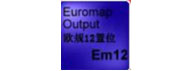 | Set EM12 Output | Choose EM12 output | [—] |
| Status setting | Can choose the output static: on or off | |||
| EM67 Setting | 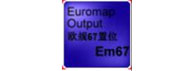 | Set EM 67 Output | Choose EM 67 output | [—] |
| Status setting | Can choose the output stat: on or off | |||
| Variable increase | 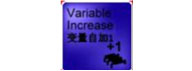 | Parameters or variables of the Choice plus 1 | Choose the parameter or variable | Parameters or variables on the basis of the currentplus 1, is used to count. |
| Variable decrease | 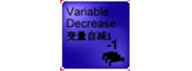 | Parameters or variables of the Choice minus 1 | Choose the parameter or variable | Parameters or variables on the basis of the current minus 1, is used to count. |
| Delay  | 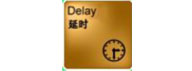 | After the time delay, run the next step | Delay time | Second S |
| Wait Vacuum | 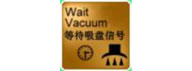 | Waiting for vacuum to meet set by the state. The program has been waiting for conditions to meet. | Vacuum choice | Choose the vacuum which need to detect |
| Status setting | Can choose the output stati: on or off | |||
| Safety Time | Set safety time of detection signal | |||
| Wait Input | 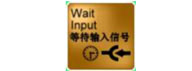 | Waiting for the selected input signal meet set by the state. The program has been waiting for conditions to meet. | Choose the user signal | Input 1-16 or no choice |
| Status setting | Can choose the output state: on or off | |||
| Safety Time | Timeout alarm | |||
| Wait function input | 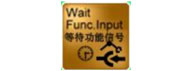 | Waiting for Function signal meet set by the state. The program has been waiting for conditions to meet. | Choose the Function input | [-] |
| Status setting | Can choose the output state: on or off | |||
| Safety Time | Timeout alarm | |||
| Wait Variable | 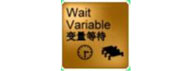 | Waiting for the choice of parameter variables to set conditions. The program has been waiting for conditions to meet. | parameters set | [-] |
| Conditions choose | the logical relationship between Waiting for the value and set value | |||
| Safety Time | Set action safe time | |||
| Wait Em 12 | 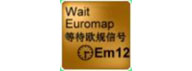 | Waiting for the Em12 to set conditions. The program has been waiting for conditions to meet | Choose Em 12 | [-] |
| Status setting | Can choose the output state: on or off | |||
| Safety Time | Timeout alarm | |||
| Wait Em 67 | 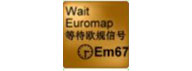 | Waiting for the Em67 to set conditions. The program has been waiting for conditions to meet | Choose Em67 | [-] |
| Status setting | Can choose the output state: on or off | |||
| Safety Time | Set safety time of detection signal | |||
| Wait Sync Program run finish |  | Wait sync program run finish. Program will be waiting here | Sync program run choice | When waiting for the subprogram after the completion of the run. Condition is met, execute the next step. |
| Attention: When the subprogram contains jump icon. This function is invalid. That doesn't apply to loop function subprogram. | ||||
| Wait Axis Position |  | Wait for the choice of servo axis position to meet the set conditions. Program will be waiting here. | Choose the servo axis | Choose the servo axis which need to detect position |
| Conditions choose | The logical relationship between Waiting for the value and set value. | |||
| Position setting | The actual position values meet the set value of logic relations, run the next step | |||
| Safety Time | Timeout alarm | |||
| Jump label  |  | Insert Jump Label jump label automatically increase | [-] | [-] |
| Skip to set label | 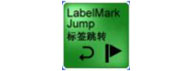 | Unconditional jump to set jump label | Choose jump label | Program is running to this step, jump to the next set. |
| Call sync program | 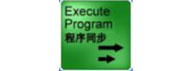 | Call sync run program | Choosesync run program | Sync of other programs except the icon in the program |
| Vacuum Jump | 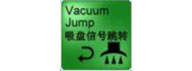 | If the input of vacuum meet the conditions of setting, then jump to the label by set | Choose Vacuum | [-] |
| Status setting | the input state of vacuum: on or off | |||
| Choose jump label | [-] | |||
| Input Jump | 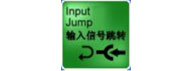 | If the input meet the conditions of setting, then jump to the label by set | Choose user input | Input 1-16 |
| Status setting | the input state: on or off | |||
| Choose jump label | [-] | |||
| Func. Input Jump | 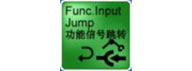 | If the input of function meet the conditions of setting,then jump to the labrel by set | Choose Func. Input | [-] |
| Status setting | the input state: on or off | |||
| Choose jump label | [-] | |||
| Variable Jump | 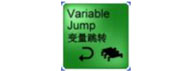 | If the parameter variable meet the conditions of setting, then jump to the label by set. | Choose user parameter | [-] |
| Conditions Choose | Set value meet of the logical condition | |||
| Jump value set | The actual value meet the set value then jump | |||
| Choose jump label | [-] | |||
| Em12 Input Jump | 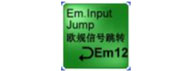 | If the Em12 meet the conditions of setting, then jump to the label by set | Input choose | [-] |
| Status setting | the input state: on or off | |||
| Choose jump label | [-] | |||
| Em 67 Input Jump | 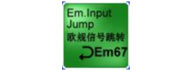 | If the Em67 meet the conditions of setting, then jump to the label by set | Input choose | [-] |
| Status setting | the input state: on or off | |||
| Choose jump label | [-] | |||
| Axis position Jump | 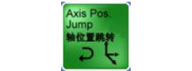 | If the position of servo axis meet the conditions of setting, then jump to the label by set | Servo axis choose | [-] |
| Conditions Choose | Set value meet jof the logical condition | |||
| Set position | The actualk value meet the set value then jump | |||
| Choose jump label | [-] | |||
| End Program |  | End of program | [-] | If program run to this label, program over. Insert the label at the bottom of the label as invalid label |
| Start Program |  | Begin of program | [-] | Began to run automatically, run program from now on |
| Other wrong steps |  | program step error | [-] | This step is not correct or not compatible with this version of the system |

In program editor model. Program can not switch to the automatic operation mode. Click on this button. The program of user editor will automatically save; If do not quit, when controller restart, the program will do not save.


 | Insert rows (upper) |
 | Delete the current teaching steps: When the system page delete message used, delete steps there are message, on the contrary. Can quickly remove teach step directly. In order to prevent the user deleted by mistake. Select for use after advice. |
 | Complete the insertion or detection |
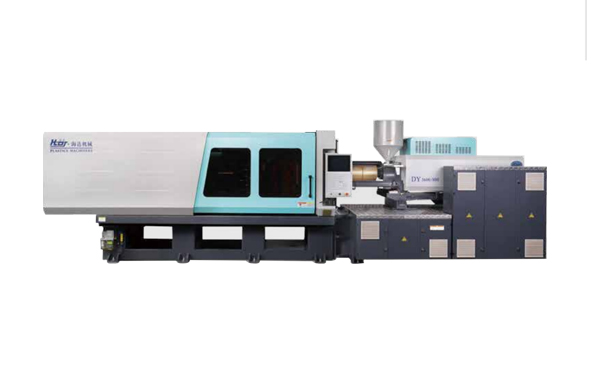
HD260KDY -- HaiDa Hybrid Injection Molding Machine
| No. | Name | Value |
|---|---|---|
| 1 | Clamping Force | 2600 kN |
| 2 | Shot Weight | 326 g |
| 3 | Shot Speed | 350 mm/s |
| 4 | Screw Diameter | 45 mm |
| 5 | Opening Stroke | 500 mm |
| 6 | Space Between Tie Bars | 570 x 520 mm |
| 7 | Mold Thickness (Min) | 200 mm |
| 8 | Mold Thickness (Max) | 560 mm |
| 9 | Pumper Motor | 115 kW |
| 10 | Heating Capacity | 18 kW |
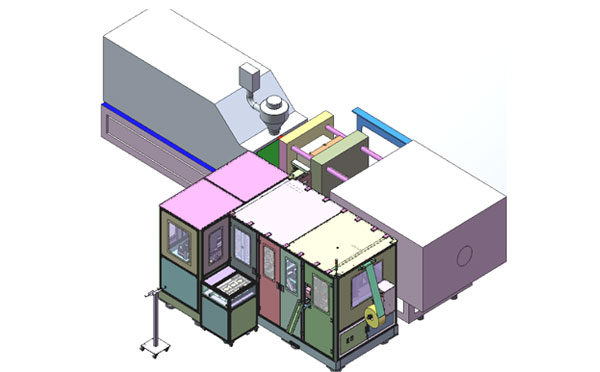
The SWITEK side entry petri dish packing system is a custom made automation system for the stable production of laboratory consumable plastic petri dish with the picking robot, the petri dish assembly, stacking, packing unit etc. integrated as auniformed system for the efficient and stable production of the petri dish. The system can be custome made for a petri dish mold layout design of 2+2, 4+4, 6+6, 8+8 etc.
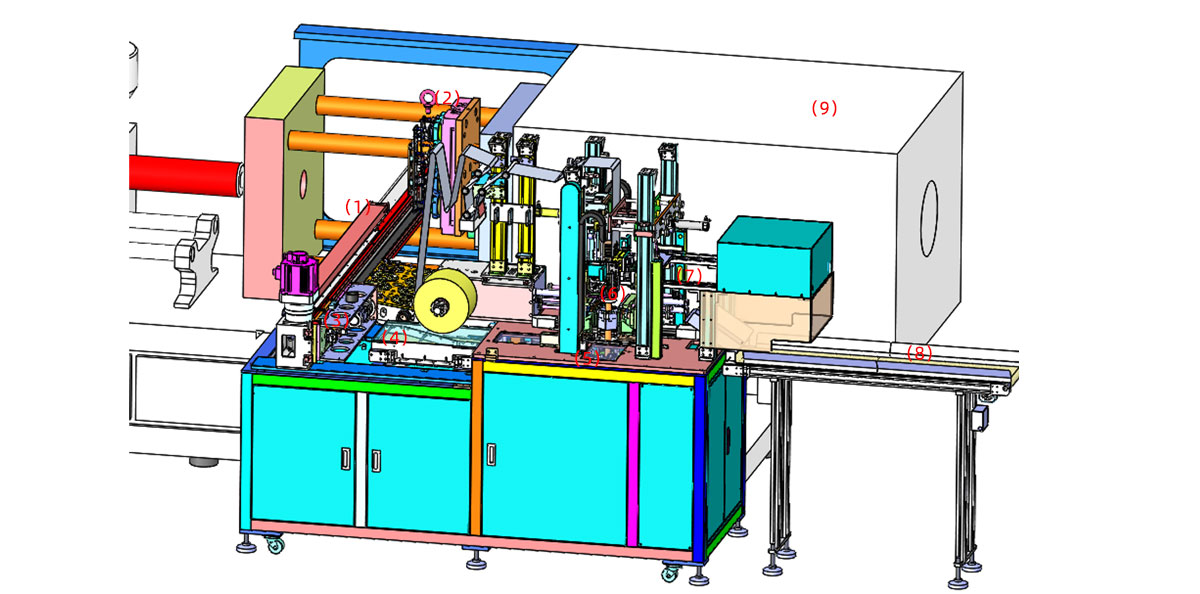
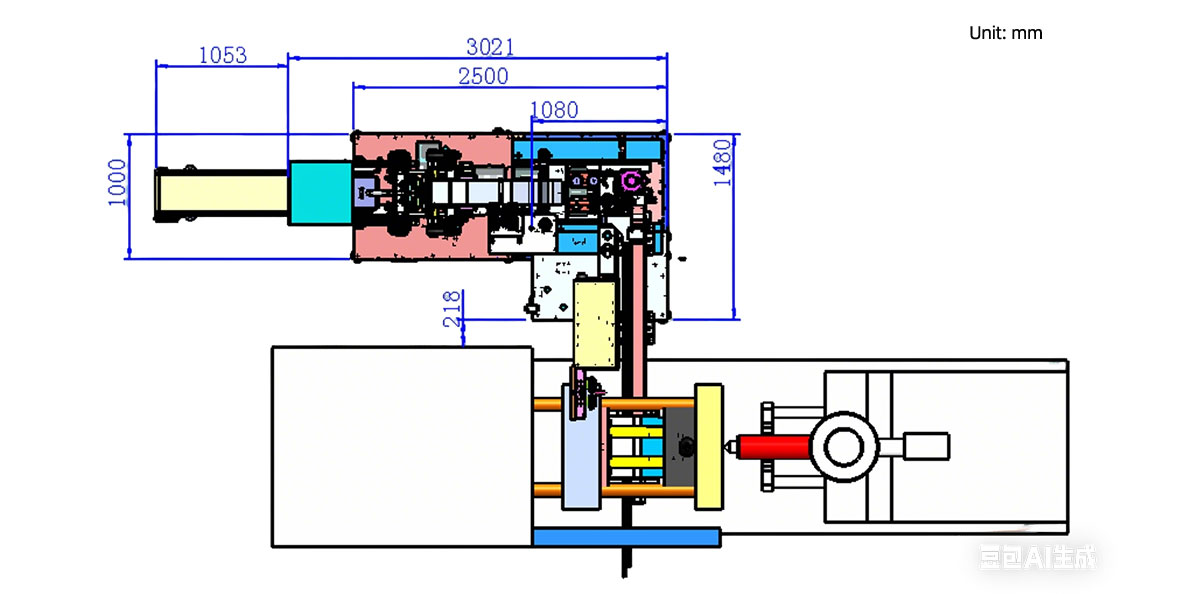
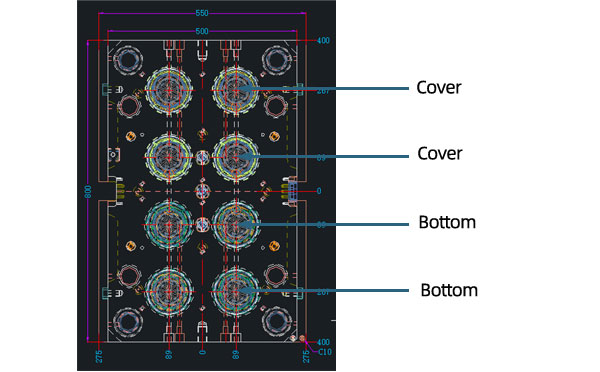
Mold Layout Deisgn
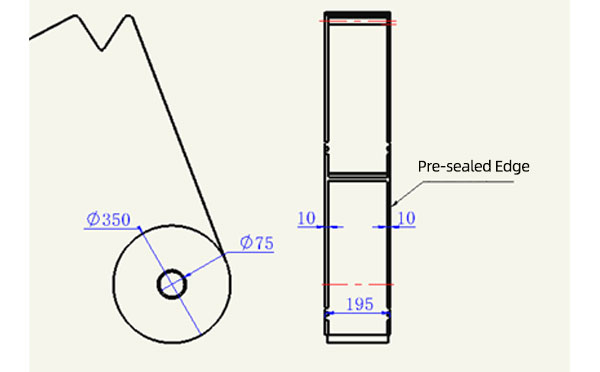
Sleeve Size for Package with Vacuum Request
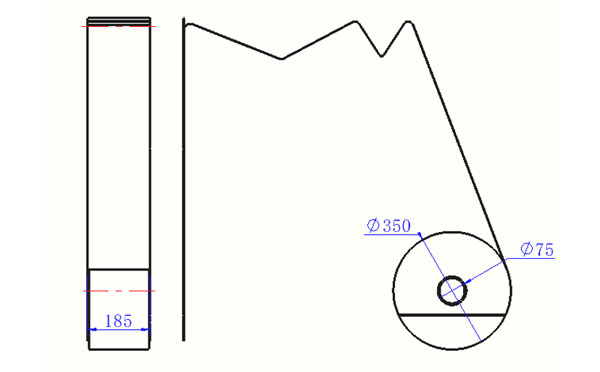
Sleeve Size for Package without Vacuum Request
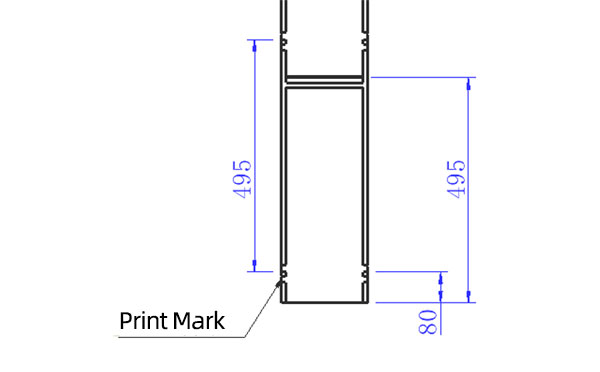
Sleeve (With Mark) Size for Package with Vacuum Request
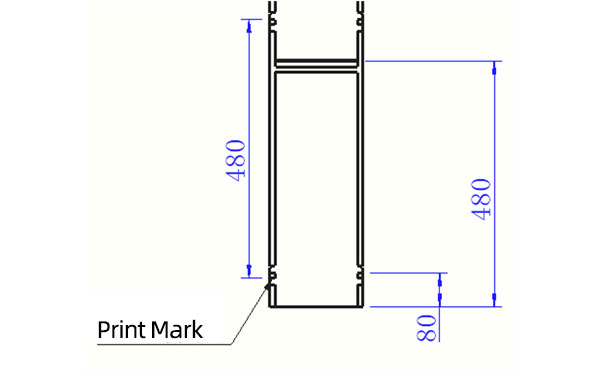
Sleeve (With Mark) Size for Package without Vacuum Request
I think you'll have an overall understanding about the SWITEK top/side entry petri dish packing system. If you still have any other question about it or need any help in your petri dish production project, please feel free to contact SWITEK laboratory consumable plastic parts injection molding solutions team for more information.
HuangYanZheng©Copy Right


